Trendyol and Hepsiburada Integration: A Guide to XML and API
What is marketplace integration, and how do you integrate with Trendyol and Hepsiburada? Learn about XML, API and integrator options, the step-by-step setup and what to watch out for.
You updated stock on Trendyol, forgot to update it on Hepsiburada and received an order for a product you don't have. If that sounds familiar, you're not alone. The moment you start selling on more than one marketplace, managing everything by hand quickly gets out of control.
In this guide, we'll look at what marketplace integration is, the ways to integrate with Trendyol and Hepsiburada, and what to watch out for during setup.
What Is Marketplace Integration?
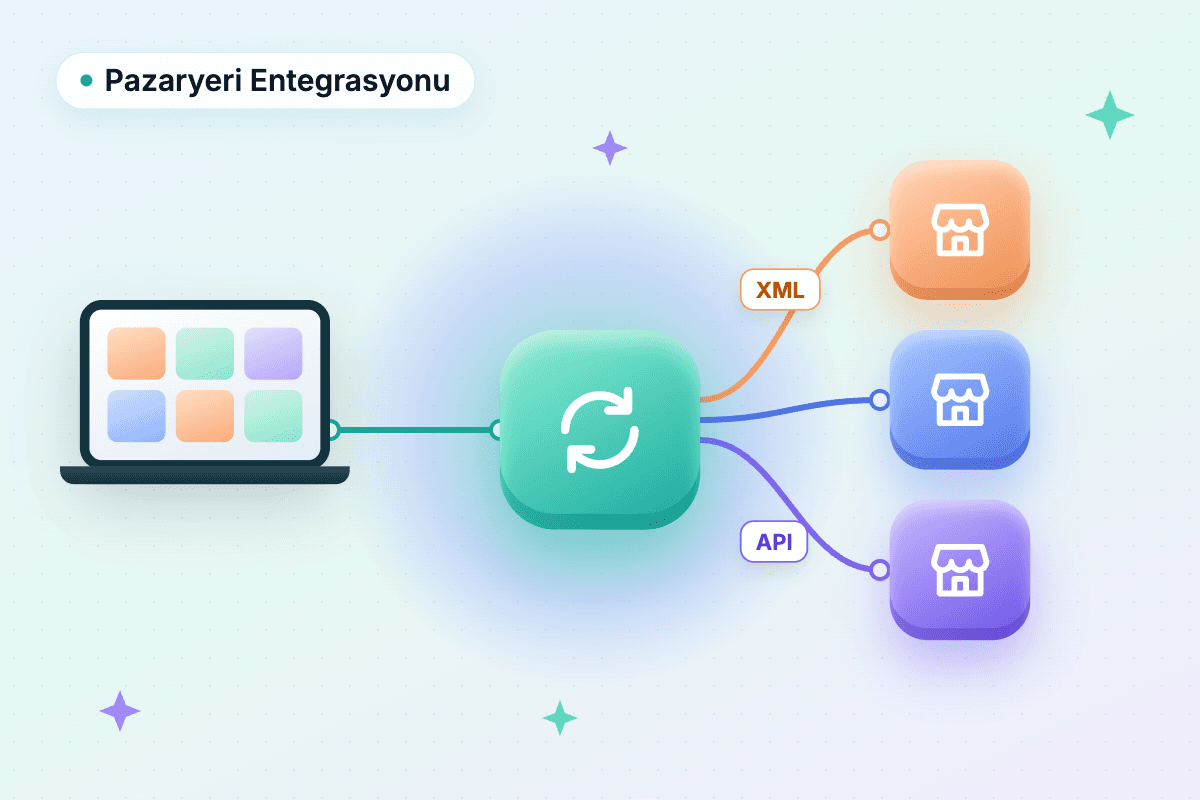
Marketplace integration means your product, stock, price and order information is automatically synced between your own system and marketplaces like Trendyol, Hepsiburada, Çiçeksepeti and N11. When a product's stock changes or a new order arrives, the information updates on every channel by itself.
Why Does Marketplace Integration Matter?
- Prevents stock errors: A product sold on one channel drops on the others too, so you don't get orders for items you don't have.
- Saves time: Instead of uploading hundreds of products to each marketplace one by one, you manage them from one source.
- Keeps prices consistent: A price change reflects on all channels at once.
- Simplifies order tracking: You see orders from different marketplaces on one screen.
- Protects store performance: Keeping cancellation and delay rates low has a positive effect on your store rating.
What Are the Ways to Integrate with Marketplaces?
Depending on your sales volume and technical setup, there are three main ways:
1. Uploading via the Panel or Excel
You upload products one by one through the marketplace's seller panel or in bulk with Excel templates. It's practical for sellers starting with a few products, but since stock and price updates are manual, it gets harder as your catalog grows.
2. XML Integration
XML is a data file that holds your product information (name, description, price, stock, images, variants) in a set structure. The XML file generated by your e-commerce site or supplier is transferred to the marketplace at regular intervals through the integration. Setup is relatively easy, but updates happen at intervals, not instantly.
3. API Integration
An API lets two systems talk to each other directly and instantly. Trendyol offers product transfer, stock and price updates and order processing through the Trendyol API so that sellers in its Partner Program can connect their stores to their own e-commerce systems. Hepsiburada provides a similar API infrastructure for sellers. It's the most reliable method for sellers with high product and order volumes.
Using an API directly requires software skills. That's why most sellers prefer e-commerce platforms or marketplace integrators that offer the API connection ready-made.
How to Integrate with Trendyol
- Open your seller account: You need an active Trendyol seller account before integrating.
- Get your API details: Your seller ID and API keys are in the "Entegrasyon Bilgileri" (Integration Information) section under the "Hesap Bilgilerim" (My Account Information) menu in the seller panel.
- Enter them in your integration tool: Open the Trendyol connection in your e-commerce platform's or integrator's panel and enter these details.
- Map categories and attributes: Match your own categories and product attributes to Trendyol's category structure.
- Test with a small group: Before sending your whole catalog, check transfer, stock and price updates with a few products.
How to Integrate with Hepsiburada
- Open your seller account: You need an active Hepsiburada store first.
- Get your integration details: Get your store ID and service key from the integration section of the seller panel. If you use an integrator, you need to authorize it in the panel.
- Set up the connection: Enter these details in your integration tool.
- Category mapping and testing: As with Trendyol, map categories and attributes and test with a small group of products.
What to Watch Out for When Setting Up Integration
- Clean your product data first: Missing size, fabric, color or variant information is carried to every channel. Bad data multiplies with integration.
- Check your barcodes: Valid barcodes are needed for products to match correctly on marketplaces.
- Know the update frequency: Find out how often stock and prices sync. During campaigns, delays can lead to overselling.
- Keep your API details safe: Share your keys only with tools you trust.
- Think about all channels: Even if you sell on two marketplaces today, a setup that also supports Çiçeksepeti and N11 will make things easier later.
Frequently Asked Questions
What is marketplace integration?
It's the automatic sync of product, stock, price and order information between your own system and marketplaces.
What's the difference between XML and API integration?
XML integration transfers the product file at set intervals; API integration provides instant data flow between systems.
Where are the Trendyol API details?
In the Trendyol seller panel, under "Entegrasyon Bilgileri" in the "Hesap Bilgilerim" menu.
Do I need software skills for integration?
Using an API directly does. With ready-made e-commerce platforms and integrators, the connection is usually set up from the panel in a few steps.
Does integration also handle customer questions?
No. Product and order integration automates data transfer; answering customer questions on marketplaces is a separate process.
In Summary
Marketplace integration lightens the operational load for every seller on more than one channel. If you're starting with a few products, the panel and Excel may be enough; as your products and orders grow, XML or API integration becomes unavoidable. Whichever route you choose, starting with clean product data and a small test group is the key to a smooth transition.
Your Products Are Integrated, But Who Answers the Questions?
Integration manages your products, stock and orders automatically. But the moment your product goes live on a marketplace, something else starts: customer questions. Leaving questions like "When does this ship?" or "Does it run small?" unanswered costs you on the sales side the speed you gained with integration.
Dot Assist Marketplace Agent connects to your Trendyol, Hepsiburada, Çiçeksepeti and N11 stores within minutes. It learns your product information, size charts and past Q&A, and answers incoming questions 24/7 in your brand's voice. You track questions from all your marketplaces in one panel.
Sinem Kerti, Customer Manager at Karaca, says that with Dot Assist 87% of questions are answered instantly.
The Last Link in Integration: Customer Questions
👉 Let Dot Assist Marketplace Agent answer product questions on your Trendyol, Hepsiburada, Çiçeksepeti and N11 stores 24/7 from one panel.
🚀 Up to 92% automatic response rate ⚡ Under 50 seconds average response time 📈 Up to 3X purchase impact ⏱️ Setup within minutes
👉 Try Marketplace Agent free for 10 days, no credit card required.